Welcome to omediting.top!
Making a viral Motu Patlu invitation video is now easier than ever. Whether you want to make a birthday invite, a funny reel, or a special greeting, AI prompts can do all the heavy lifting for you in just a few minutes.
If you are a beginner or a video creator looking to make eye-catching content, this guide is for you! Below, you will find the exact photo and video prompts to create your own unique Motu Patlu videos. Just copy, customize, and start editing!
1. Motu Patlu Basic Photo Prompt
Use this simple instruction in your favorite AI image generator (like Microsoft Bing Image Creator).
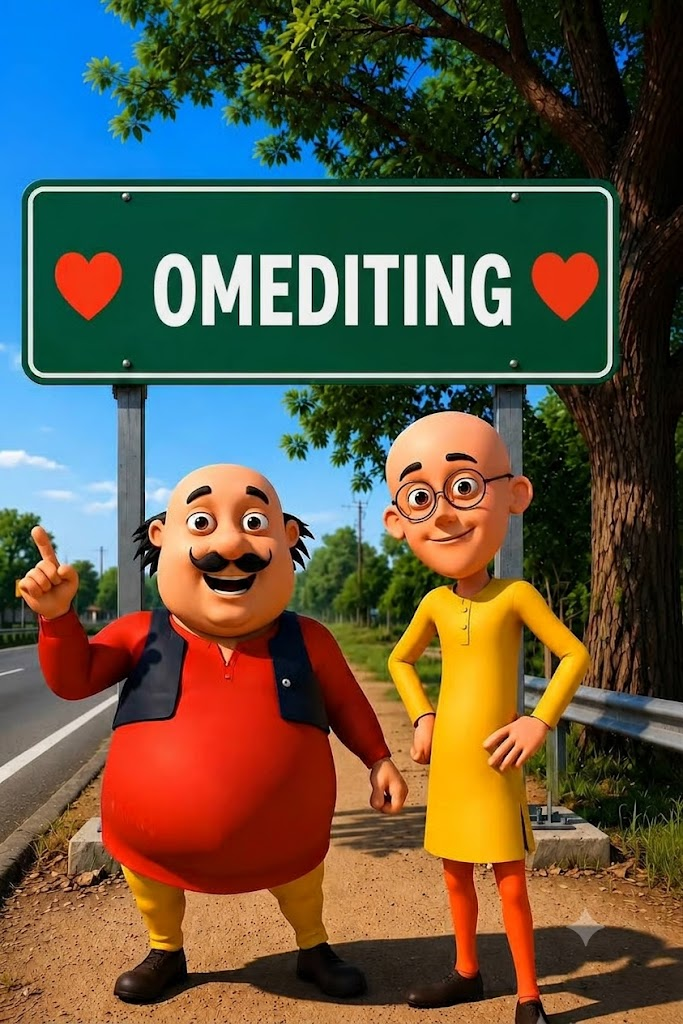
Replace Your Name With OmEditing in the board and keep all things remain same
Important Note: Replace the name “omediting” with your own name or your page’s name on the board, but keep everything else exactly the same to get the best result.
2. Motu Patlu Basic Video Script (Hindi)
Once you have your picture, use an AI video generator (like Hedra or Luma Dream Machine) to animate the characters. You can use this exact Hindi script for their voiceover!
मोटू: दोस्तों, अब हमें OmEditing से मिलने जाना है। पतलू: तो जल्दी से इस वीडियो को OmEditing के पास शेयर कर दो। मोटू: हो सकता है अगली वीडियो OmEditing के साथ ही बने। पतलू: अगर आप भी हमसे मिलना चाहते हो, तो फॉलो, लाइक और कमेंट ज़रूर करो।
3. Highway Welcome Board Photo Prompt
Want a different style? Try this prompt to generate a realistic Indian highway scene.
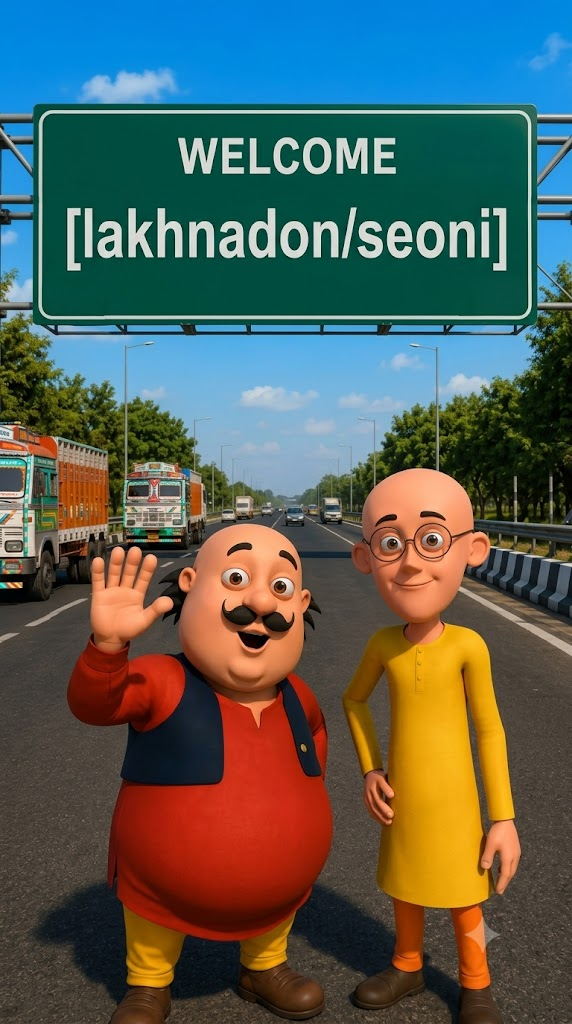
Use the uploaded image as the exact character reference. Keep the same character, face, clothes, and original art style. Create a modern highway scene where the character stands smiling below a large green Indian highway welcome billboard. The billboard reads: WELCOME [lakhnadon/seoni] Use realistic Indian expressway details, vehicles, trees, blue sky, cinematic lighting, vibrant colors, centered composition, ultra-detailed, 8K, vertical 9:16.
Tip: You can change “lakhnadon/seoni” to your own city and state!
4. Highway Welcome Board Video Script (Hindi)
Use this prompt and script to animate the highway photo you just generated.
VIDEO PROMPT :-Characters: [Motu Character 1], [Patlu Character 2], Use the uploaded image as the exact character reference. Keep the same character(s), appearance, and original art style. Animate only the character(s) with realistic lip sync, natural facial expressions, eye blinking, head movement, and hand gestures while speaking in Hindi [Motu Charcter 1]हैलो दोस्तो हम आ गये है मध्य प्रदेश में lakhnadon OmEditing के पास [Patlu CHARACTER 2] अब बताओ MP वालों [Motu Charcter 1] हमे आपके किस शहर या गांव में आना चाहिए [Patlu CHARACTER 2] कॉमेंट में आपने शहर या गांव का नाम अभी लिखो हो सकता है अगला वीडियो आपके शहर या गांव में हो
How to Use These Prompts
- Step 1: Copy the Photo Prompt and paste it into a free AI image generator. Download the picture you like.
- Step 2: Open an AI video animating tool. Upload the picture you just downloaded.
- Step 3: Copy the Video Script and paste it into the audio/voice section of the tool.
- Step 4: Generate the video, download it, and upload it to Instagram or YouTube!
A well-made AI video saves you tons of time and doesn’t require any advanced editing skills. Feel free to personalize the city names, event dates, or messages to make your video completely unique.
Keep exploring and editing with omediting.toop to make your next video go viral!