Have you seen those viral Instagram reels where a simple spinning video magically transforms into a stunning, cinematic princess edit? It looks complicated, but it is actually super easy to do using free AI tools!
Here is a quick step-by-step tutorial on how to create this exact trend yourself.
Step 1: Capture Your Base Photo
You don’t need a fancy camera for this!
- Record a video: Have someone film you taking a few steps away from the camera and doing a little twirl.
- Take a screenshot: Pause the video right when you are mid-spin or in a pose you love, and take a screenshot. This image will be the base for your AI transformation.
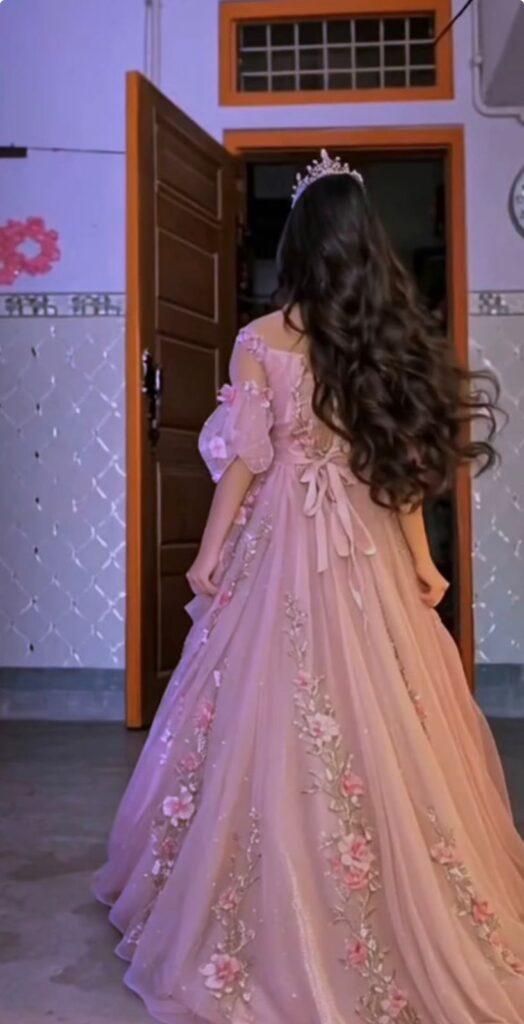
Step 2: Transform Your Look with ChatGPT
Next, we are going to change your outfit and vibe using AI image generation.
- Open ChatGPT: Go to the ChatGPT app or website.
- Upload your screenshot: Tap the plus icon and upload the picture you just took.
- Write the prompt: Ask ChatGPT to change your outfit. You can type something like:
- Save the photo: Once ChatGPT generates the image, download and save it to your phone’s gallery.
Step 3: Animate with Meta AI
Now it’s time to bring that beautiful photo to life!
- Open Meta AI: You can access this directly in your WhatsApp, Instagram, or Facebook search bars.
- Upload the AI photo: Give Meta AI the princess photo you just saved from ChatGPT.
- Add the video prompt: To make it move realistically, paste a detailed animation prompt. Try something like this:
- Download and Share: Wait a few seconds for Meta AI to generate your video. Once it’s done, save it, add your favorite trending audio, and post it!